


Tech Tips

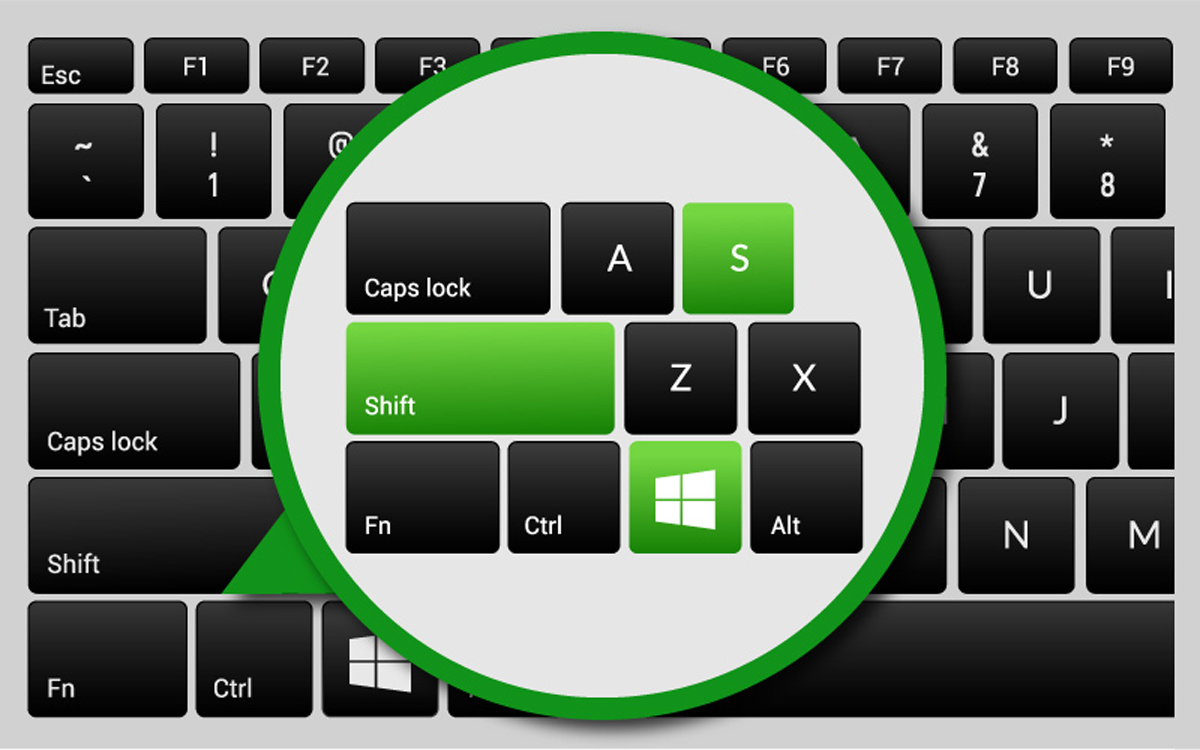
Copy and paste screenshots like a PRO on Windows 10

2025-11-19T21:40:36+00:00June 22nd, 2021|Tech Tips|

Microsoft has a tool to make it easy to take partial screenshots and edit them, without the need to use the Print Screen key, paste it in an image editor like Paint and crop the area you need. Before Windows 10 this tool was the Snipping Tool but since the October 2018 Update of Windows 10 the Snip and Sketch was introduced. To quick access the Snip & Sketch tool on your Windows 10 [...]

Outlook: Where are my old emails?

2025-11-19T00:35:06+00:00June 1st, 2021|Tech Tips|

If you setup Microsoft Outlook on your PC or Mac recently, you may have noticed that your old emails do not come up on a search or when you scroll all the way down in your Inbox. The reason is that by default Microsoft Outlook only syncs emails from the last 2 years to save disk space. On today's tip you will learn how to sync older emails or all your emails if disk [...]

Why Managed Services?

2025-11-19T01:04:14+00:00May 25th, 2021|Tech Tips|

With a sound managed services plan in place, you and your employees will be free to focus on what's most important- your business. As a business owner, you're probably well aware of the many distractions that pose a very real threat to your efficiency and productivity. When your staff sets aside their regular duties to troubleshoot printer problems or install software upgrades, you're losing valuable time and money. With our [...]

What is a Network Assessment

2025-11-19T01:40:15+00:00May 18th, 2021|Tech Tips|

We use a variety of tools when conducting a network assessment and then prepare a detailed report that includes the current network as it exisits now including issues and what we recommend correcting. A good Network Assessment will include the following: Client Risk Report The report presents your client with a summary of their overall risk score based on your scan, along with simple charts to show the problem areas. Each problem area represents [...]

Go to Top