

Outlook: Where are my old emails?

If you setup Microsoft Outlook on your PC or Mac recently, you may have noticed that your old emails do not come up on a search or when you scroll all the way down in your Inbox.
The reason is that by default Microsoft Outlook only syncs emails from the last 2 years to save disk space.
On today’s tip you will learn how to sync older emails or all your emails if disk space is not a problem and if you would like to find any email on a search, no matter how old they are.
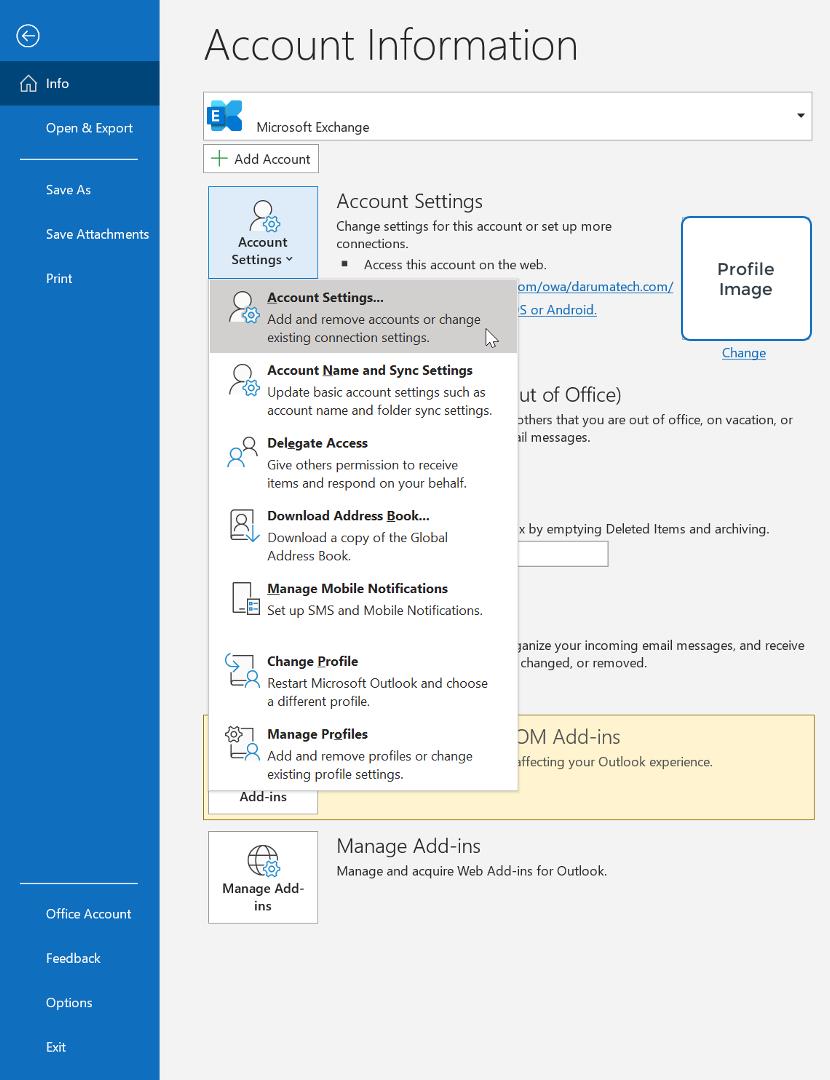
First, you must navigate to the File menu and click on Account Settings > Account Settings:
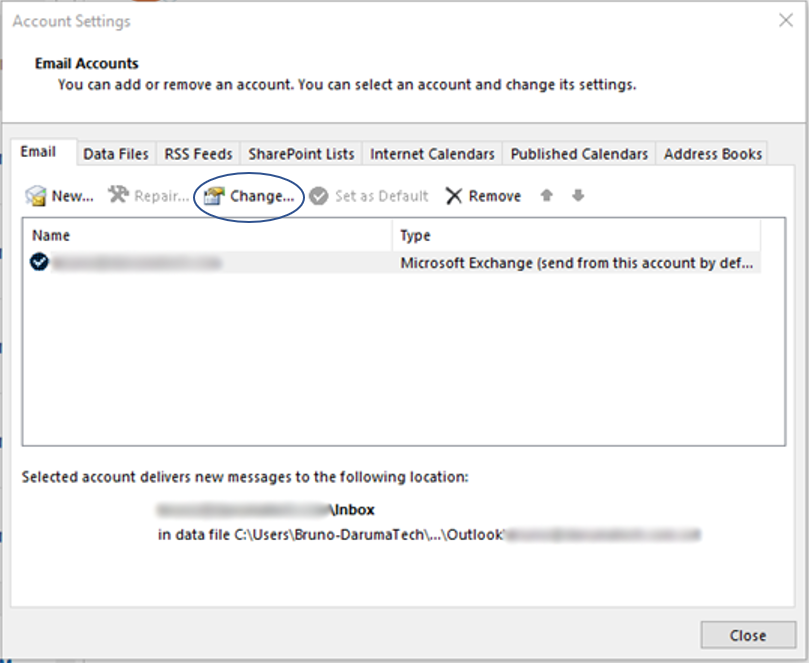
Once you are on the Account Settings screen, click on the Change button:
Now you can use the slide bar to set the age of the emails that will be synced by Outlook.
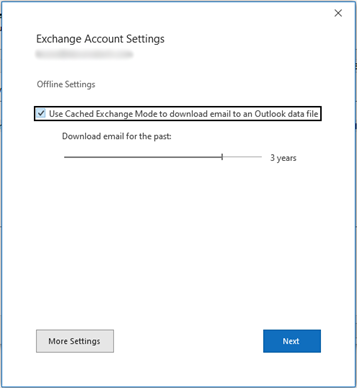
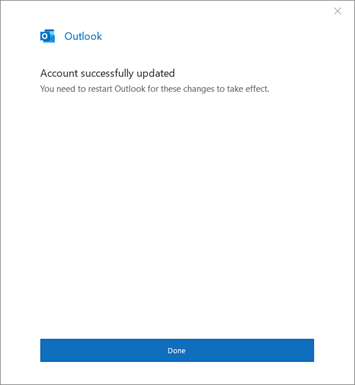
Click Next, Done and Close buttons and wait for Outlook to sync your mailbox.

Share this article
Follow us

Our Newsletter
Keep up with everything Daruma Tech. Subscribe to find out what we are working on next!
"*" indicates required fields